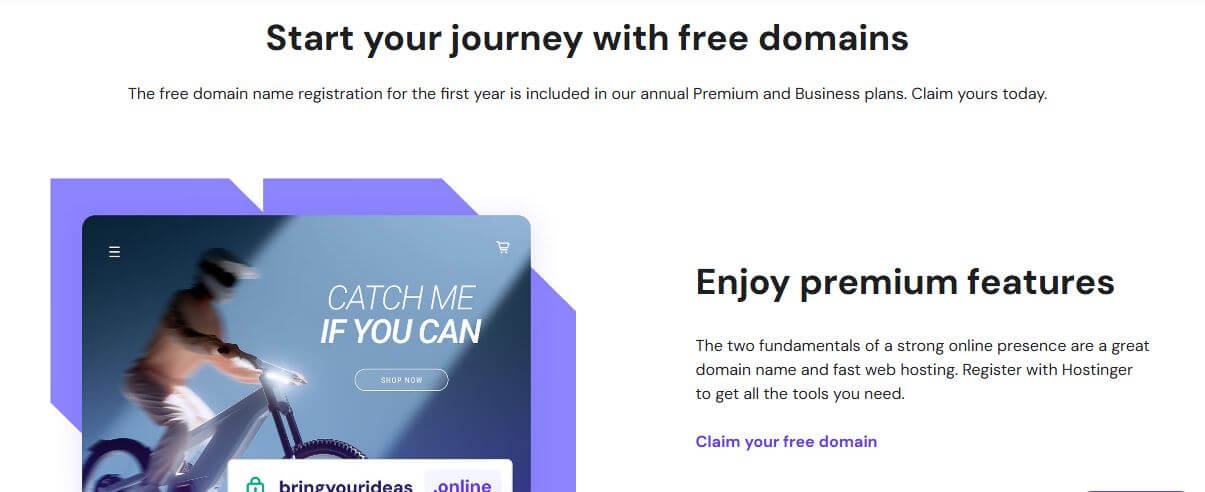
How to Get a Free Domain Name with Hostinger: Starting a website doesn’t have to drain your wallet. Imagine building your online presence without paying extra for a domain name during your first year.
Sounds great, right? That’s exactly what Hostinger offers when you purchase specific hosting plans. In this guide, you’ll discover exactly how to get a free domain name with Hostinger, which plans qualify, and the simple steps to claim your domain without paying a single dollar for registration.
What Is Hostinger’s Free Domain Offer?
Hostinger gives new customers a free domain registration for one full year when they purchase eligible hosting plans. This means you won’t pay the usual $10 to $17,99 annual fee that most domain registrars charge. Instead, you get your custom domain name included with your hosting package at no extra cost.
This offer applies to various popular domain extensions like .com, .net, .org, .online, and many others. The free domain helps you save money right from the start while giving your website a professional web address. After the first year ends, you’ll need to renew your domain at standard rates, but that initial savings makes a big difference for new website owners and small businesses.
Which Hosting Plans Include a Free Domain?
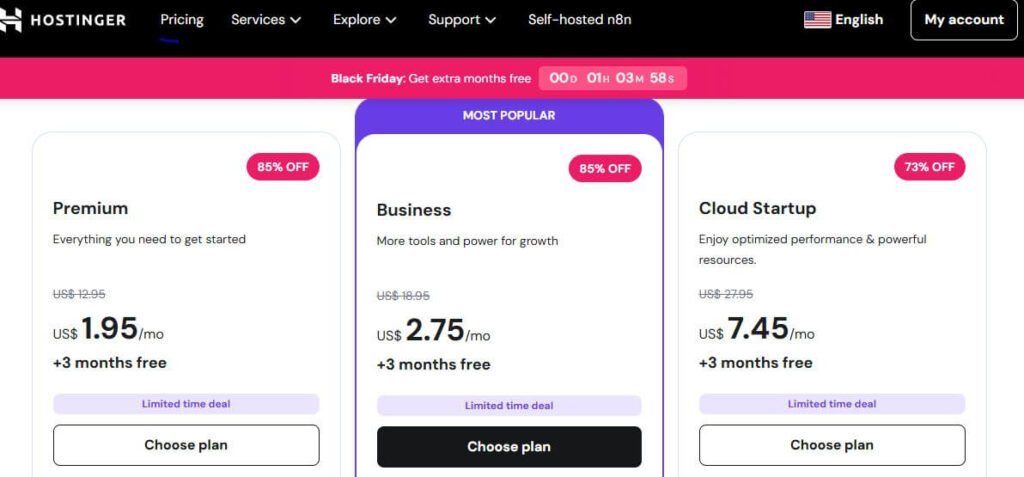
Not all Hostinger plans come with a free domain. You need to choose specific hosting packages and meet certain requirements to qualify. The free domain is available when you sign up for Web Premium, Web Business, Cloud hosting plans, KVM, Horizons, and Business Premium email plans with a 12-month or longer term.
Here’s what doesn’t qualify: the basic Single Web Hosting plan, monthly billing cycles, cPanel hosting, hosting upgrades, renewals, or changing your billing period to a longer duration.
You must be purchasing one of the eligible plans for the first time with an annual commitment or longer. This requirement ensures that Hostinger can offer this valuable benefit while keeping their hosting prices competitive.
Available Domain Extensions
Hostinger offers free domain registrations across all their brands for the following extensions: .com, .fun, .host, .me, .online, .press, .shop, .site, .space, .store, .tech, .uno, and .website. These are the most commonly available options regardless of which Hostinger website you purchase from.
The .com extension remains the most popular choice because people recognize and trust it worldwide. However, if your desired .com name is already taken, extensions like .online, .tech, or .store work perfectly for modern websites. The extension you choose should match your website’s purpose – .shop works great for online stores, .tech suits technology blogs, and .online fits almost any website type.
Step-by-Step Guide to Claiming Your Free Domain
Getting your free domain with Hostinger takes just a few minutes. Follow these straightforward steps to secure your domain without paying registration fees.
Step 1: Choose an Eligible Hosting Plan
Visit Hostinger’s website and browse their hosting options. Select either the Premium Web Hosting or Business Web Hosting plan. Make sure you choose a billing cycle of at least 12 months. The longer plans often come with bigger discounts on hosting, which saves you even more money overall.
Step 2: Search for Your Domain Name
After selecting an eligible hosting plan, the free domain will automatically be added to your cart, or you’ll be prompted to enter your desired domain name during the hosting plan setup. Type your preferred website name into the search box. The system will show you which extensions are available for free with your chosen plan.
If your first choice is taken, try adding a relevant word, changing the extension, or using a slight variation of your original idea. Keep your domain name short, easy to spell, and memorable. Avoid using numbers or hyphens if possible, as these can confuse visitors.
Step 3: Complete Your Purchase
Once you’ve found an available domain, add it to your cart along with your hosting plan. Review your order to confirm the domain shows as free ($0.00) for the first year. Enter your email address, create a password for your Hostinger account, and provide the required contact information for domain registration.
Choose your preferred payment method and complete the checkout process. Hostinger accepts various payment options including credit cards, PayPal, and other methods depending on your location.
Step 4: Verify Your Domain Ownership
Hostinger will send a verification email to confirm domain ownership. Check your inbox for this message and click the verification link. This step is required to activate your domain and ensure you’re the legitimate owner. The verification usually happens within a few minutes.
Step 5: Set Up Your Website
After verification, log into your Hostinger account and access the hPanel control panel. You will be able to find your domain on your hPanel, where you can manage DNS settings and connect it to your website. From here, you can install WordPress with one click, use Hostinger’s website builder, or upload your own website files.
Alternative Ways to Claim Your Free Domain
If you already purchased an eligible hosting plan but didn’t claim your domain during checkout, don’t worry. Hostinger provides additional methods to register your free domain after the initial purchase.
Through the Domain Portfolio Page
If you already own a domain, the option to claim a free domain will also be available on the Domain Portfolio page – click on Add New Domain, and select Claim your free domain. This method works perfectly if you forgot to add your domain during the original purchase or if you decided on a different domain name later.
During Website Setup
When you set up your first website through hPanel, the system will prompt you to enter a domain name. At this stage, you can claim your free domain by selecting from the eligible extensions shown in the dropdown list. This integrated approach makes the entire process smooth and beginner-friendly.
Important Terms and Conditions
Understanding the rules around Hostinger’s free domain offer helps you avoid surprises and make the most of this benefit. Here are the key details you should know before claiming your domain.
Time Limit for Claiming
The free domain must be claimed within 12 months of the eligible purchase; otherwise, the offer will expire. This gives you plenty of time to decide on the perfect domain name, but don’t wait too long. Set a reminder if you’re not ready to claim your domain immediately after purchasing hosting.
Domain Locking and Transfers
Free domain name registration is locked for the first 60 days. This is a standard security measure across the domain industry to prevent fraud and unauthorized transfers. During this period, you cannot transfer your domain to another registrar, but you can still use it normally for your website.
Refund Policy
Free domains are non-refundable and cannot be exchanged for a different domain name. Choose your domain carefully before claiming it. While you can get a refund on your hosting plan according to Hostinger’s money-back guarantee, the domain registration itself cannot be refunded or swapped.
What Happens After the First Year?
Your free domain registration covers the first year only. After 12 months, you’ll need to renew your domain to keep it active and maintain ownership. The renewal price varies depending on which extension you chose, but most domains cost between $10 to $17,99 per year as November 2025.
Hostinger will send you reminder emails before your domain expires, giving you time to renew it. You can enable automatic renewal in your hPanel to ensure your domain never expires accidentally. This feature automatically charges your payment method when renewal time approaches, preventing any website downtime.
Additional Benefits Included with Your Domain
When you get your free domain through Hostinger, you receive several valuable extras that many other providers charge for separately. These benefits enhance your website’s security and professionalism.
Free WHOIS Privacy Protection
Free privacy protection is included with every eligible domain. WHOIS privacy keeps your personal contact information hidden from public domain databases. Without this protection, anyone could look up your email address, phone number, and mailing address. This feature protects you from spam, unwanted solicitation, and potential security risks.
Free SSL Certificate
All Hostinger hosting plans include unlimited free SSL certificates. SSL encrypts the connection between your website and its visitors, protecting sensitive information and building trust. Modern browsers show warnings for websites without SSL, so this feature is essential for any professional website. Search engines like Google also favor secure websites in their rankings.
Easy Domain Management
Hostinger’s hPanel control panel makes managing your domain simple, even if you’re not technically skilled. You can update nameservers, configure DNS records, manage email accounts connected to your domain, and handle renewals all from one dashboard. The interface uses plain language instead of confusing technical jargon.
Tips for Choosing the Right Domain Name
Selecting the perfect domain name is crucial for your online success. Your domain represents your brand and helps people find and remember your website. Here are some practical tips to help you make the best choice.
Keep It Short and Memorable
Shorter domain names are easier to type, remember, and share. Aim for something under 15 characters if possible. Avoid complex words that people might misspell. Your domain should be something you can easily tell someone over the phone without having to spell it out letter by letter.
Match Your Brand or Purpose
Your domain should clearly relate to your business name, personal brand, or website topic. If you run a bakery called “Sweet Dreams,” then SweetDreamsBakery.com makes perfect sense. The connection should be obvious to anyone who hears your domain name.
Consider SEO Value
While exact match domains aren’t as powerful for SEO as they once were, including a relevant keyword can still help. If you sell handmade jewelry, a domain with “jewelry” in it gives visitors and search engines an immediate clue about your website’s content. Just make sure it sounds natural and not stuffed with keywords.
Check Social Media Availability
Before finalizing your domain, search for the same name on major social media platforms. Having consistent names across your website, Facebook, Instagram, and Twitter makes branding easier and helps customers find you everywhere. If the social media handles aren’t available, consider choosing a different domain name.
Common Questions About Hostinger’s Free Domain
Can I Transfer My Domain Later?
Yes, after the initial 60-day lock period ends, you can transfer your domain to another registrar if you choose. The domain belongs to you, not to Hostinger. However, most people keep their domains with Hostinger because of the convenient management and reasonable renewal prices.
What If My Preferred Extension Isn’t Free?
If the domain extension you want isn’t available for free registration, you can purchase it separately and use your free domain for another name. For example, if you want a .io domain but it’s not included in the free offer, you can buy the .io domain at regular price and still claim a free .com or .online domain for a different project.
Does the Free Domain Work with Email?
Yes, you can create professional email addresses using your free domain. Hostinger’s Premium and Business hosting plans include email hosting, allowing you to set up addresses like yourname@yourdomain.com. This looks much more professional than using a generic Gmail or Yahoo address for business communications.
Why Choose Hostinger for Your Free Domain?
Hostinger stands out among hosting providers for several reasons beyond just the free domain offer. Their combination of affordability, performance, and user-friendly features makes them an excellent choice for beginners and experienced website owners alike.
The company uses modern LiteSpeed servers that deliver faster loading times compared to traditional Apache servers. Faster websites provide better user experiences and rank higher in search results. Customer support is available 24/7 through live chat, helping you solve problems quickly whenever they arise.
Hostinger’s hPanel control panel simplifies website management without requiring technical expertise. You can install WordPress, create email accounts, manage files, and configure settings through an intuitive interface. For beginners who feel overwhelmed by traditional cPanel, hPanel offers a refreshing alternative that’s easier to navigate.
Final Thoughts
Learning how to get a free domain name with Hostinger opens the door to building your online presence without breaking your budget. By choosing an eligible Premium or Business hosting plan for at least 12 months, you save money on domain registration while getting reliable hosting for your website. The process is straightforward, the domain extensions are varied and professional, and the additional benefits like WHOIS privacy and SSL certificates add even more value.
Remember to claim your free domain within 12 months of purchase, choose a name that represents your brand well, and plan ahead for renewal after the first year. With these tips and the step-by-step guide above, you’re ready to secure your perfect domain name and launch your website with confidence. Your online journey starts with a great domain – and Hostinger makes getting one easier and more affordable than ever.