What Are the 5 Top Level Domains? You see them at the end of every website address, yet most people don’t know what they’re called or why they matter.
Those little extensions after the final dot – like .com, .org, and .net – are top-level domains, and they play a bigger role in your online success than you might imagine.
Whether you’re building your first website, launching an online business, or simply curious about how the internet works, understanding the five main categories of top-level domains helps you make smarter decisions about your web presence.
The right domain extension can boost credibility, improve local search rankings, and even influence whether people trust your website enough to click.
What Is a Top-Level Domain?
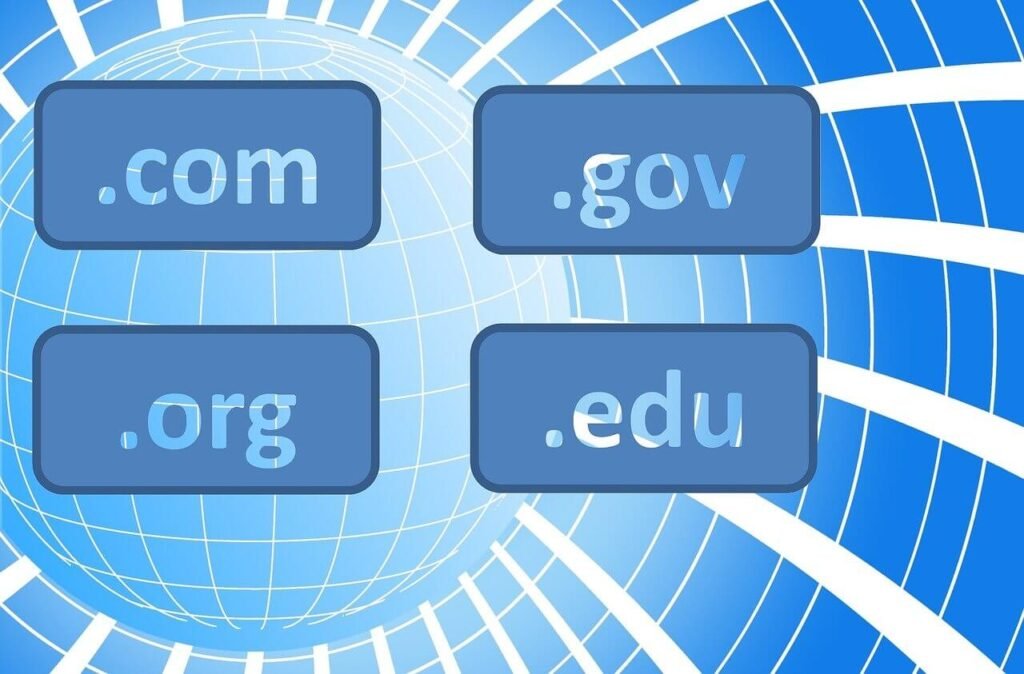
A top-level domain (TLD) is the last segment of a domain name that appears after the final dot.
When you type “Google.com” into your browser, “.com” is the top-level domain. It sits at the highest level of the internet’s domain name system hierarchy, right below the root domain. Every website address includes a TLD.
These extensions help organize the internet into categories. They tell visitors and search engines what type of website they’re accessing. Different TLDs signal different purposes, locations, or organizations behind the website.
The 5 Main Categories of Top-Level Domains
Top-level domains are organized into five major categories based on their purpose and management.
Each category serves specific needs and audiences. Understanding these categories helps you choose the most appropriate extension for your website. The five main types are generic TLDs, country-code TLDs, sponsored TLDs, infrastructure TLDs, and test TLDs.
While there are over 1,500 individual TLD extensions available today, they all fall under these five fundamental categories. Let’s explore each one in detail.
1. Generic Top-Level Domains (gTLDs)
Generic top-level domains are the most common and widely recognized extensions on the internet.
These TLDs are available to anyone worldwide without restrictions. They don’t require proof of location, membership, or special qualifications. Anyone can register a gTLD for their website.
The original gTLDs launched in the 1980s included .com, .org, .net, .edu, .gov, .mil, and .int. These seven extensions formed the foundation of the domain name system we use today.
The Powerhouse: .com Domain
The .com extension dominates the internet with approximately 44% of all registered domains using it.
Originally meant for “commercial” businesses, .com now works for virtually any website type. People automatically type .com when they can’t remember a complete web address. This makes it the most valuable and trusted extension available.
If you’re searching for available domains, checking .com first makes sense for most projects. The extension carries instant credibility and recognition worldwide. However, competition is fierce with over 160 million .com domains already registered.
The Organization Champion: .org Domain
The .org extension was created for nonprofit organizations, communities, and groups.
While originally intended for nonprofits, anyone can register a .org domain today. The extension still carries associations with charitable work, education, and community service. Many people trust .org websites for reliable information.
Nonprofits, open-source projects, foundations, and advocacy groups typically choose .org domains. The extension signals that your website serves a mission beyond profit. It works perfectly for organizations focused on social good.
The Network Original: .net Domain
The .net extension started as the domain for network infrastructure and internet service providers.
Today, .net serves as a solid alternative when your preferred .com domain isn’t available. It carries similar credibility to .com for most users. Technology companies, web services, and networking businesses often choose .net domains.
The extension works well for any website but particularly suits tech-related projects. If someone else owns your ideal .com domain, .net provides a professional backup option. Around 13 million domains use the .net extension.
New Generic TLDs: Modern Options
Hundreds of new gTLDs launched after 2013, dramatically expanding domain choices.
These modern extensions include .tech, .online, .store, .shop, .blog, .app, .io, .ai, and countless others. They offer more specific, descriptive options than traditional extensions. A .store domain immediately tells visitors you sell products.
New gTLDs provide better availability since fewer people have registered them yet. They let you create shorter, more relevant domain names. A tech startup might choose .tech to emphasize their industry focus.
When performing a domain name search, exploring these newer extensions often reveals perfect names that aren’t available with .com. The extensions help your domain communicate your purpose instantly.
2. Country-Code Top-Level Domains (ccTLDs)
Country-code top-level domains use two-letter codes to represent specific countries or territories.
These extensions follow the ISO 3166-1 alpha-2 country codes. For example, .us represents the United States, .uk stands for the United Kingdom, and .ca indicates Canada. Nearly every country has its own ccTLD.
Originally created to identify websites from specific countries, ccTLDs help businesses target local audiences. They signal to visitors that your website operates in their region. Search engines often prioritize ccTLDs in local search results.
Popular Country Code Examples
The .uk extension serves the United Kingdom and ranks among the most popular ccTLDs globally.
Other heavily used country codes include .de for Germany, .cn for China, .nl for the Netherlands, and .au for Australia. Each country’s domain registry manages its ccTLD according to local regulations.
Some countries impose restrictions on who can register their ccTLD. Others allow anyone worldwide to register. For instance, .us requires registrants to have a US presence, while .co from Colombia welcomes international registrations.
Creative Uses of ccTLDs
Some country codes get repurposed for creative branding beyond their geographic meaning.
The .io extension technically belongs to the British Indian Ocean Territory but became wildly popular with tech startups. Developers love it because “IO” stands for input/output in computing. Thousands of technology companies use .io domains.
Similarly, .me from Montenegro works beautifully for personal brands and portfolios. The .co extension from Colombia functions as a trendy alternative to .com. These creative uses show how flexible domain extensions can be.
Local SEO Benefits
Using your country’s ccTLD can boost your visibility in local search results.
Search engines like Google use ccTLDs as geographic signals. A .ca website gets priority in Canadian search results. A .de site performs better in German searches. This localization helps businesses reach their target markets effectively.
If you primarily serve customers in one country, your national ccTLD makes strategic sense. It builds trust with local visitors who prefer doing business with companies in their own country.
3. Sponsored Top-Level Domains (sTLDs)
Sponsored top-level domains are restricted extensions managed by specific organizations or communities.
Unlike open gTLDs available to everyone, sTLDs have eligibility requirements. You must prove you belong to the relevant group or meet specific criteria to register these domains. Organizations sponsor and set rules for their sTLDs.
These specialized extensions serve particular industries, communities, or purposes. They carry extra credibility because only qualified registrants can use them. Visitors know that sTLD websites meet certain standards.
Education: .edu Domain
The .edu extension is restricted to accredited post-secondary educational institutions in the United States.
Colleges, universities, and similar educational organizations can register .edu domains. The extension immediately identifies legitimate educational websites. Students and parents trust .edu domains for official school information.
Other countries use their own educational extensions, like .ac.uk for British universities. The .edu restriction prevents random individuals from pretending to be educational institutions. This protection maintains the extension’s integrity.
Government: .gov Domain
The .gov extension exclusively serves United States government agencies at all levels.
Federal, state, and local government entities can register .gov domains after verification. The restriction ensures that only real government websites use this extension. Citizens trust .gov sites for official information and services.
The .gov extension prevents scammers from creating fake government websites. This security matters enormously for public services. Other countries use their own government extensions, like .gov.uk or .gc.ca.
Military: .mil Domain
The .mil extension belongs exclusively to the United States military.
Only official US Department of Defense organizations can register .mil domains. This tight restriction protects military web infrastructure and prevents impersonation. The extension covers all branches of the armed forces.
Industry-Specific sTLDs
Several sTLDs serve specific industries with eligibility requirements.
The .aero extension is restricted to the aviation industry and managed by air transport organizations. The .museum extension requires registration by accredited museums only. The .coop extension serves cooperative organizations following cooperative principles.
More recent sTLDs include .bank for verified banking institutions and .pharmacy for licensed pharmacies. These restrictions protect consumers from fraudulent websites in sensitive industries. The sponsoring organizations verify each registrant’s eligibility.
4. Infrastructure Top-Level Domain (ARPA)
The infrastructure TLD serves technical internet infrastructure purposes rather than public websites.
The .arpa extension stands for Address and Routing Parameter Area. It handles critical behind-the-scenes internet functions. This TLD existed before the modern domain name system and continues serving infrastructure needs.
Regular internet users never need to register or visit .arpa domains. The extension operates at the technical level that makes DNS resolution possible. It’s invisible to most people but essential for internet functionality.
Technical Uses of .arpa
The .arpa domain primarily handles reverse DNS lookups that translate IP addresses back into domain names.
This process uses special subdomains like in-addr.arpa for IPv4 addresses and ip6.arpa for IPv6 addresses. These technical functions help email servers verify sender identities and prevent spam.
Network administrators and internet infrastructure operators work with .arpa domains. Website owners typically never interact with this TLD directly. It remains the only infrastructure-level domain in the DNS hierarchy.
Understanding how DNS servers resolve domain names helps explain why infrastructure domains like .arpa exist. The technical foundation supports the user-friendly domain system everyone uses daily.
5. Test Top-Level Domains (tTLDs)
Test top-level domains provide safe spaces for testing and documentation without affecting real internet operations.
These TLDs include .test, .example, .invalid, and .localhost. They’re reserved for development, testing, and documentation purposes. You can’t register these domains for actual websites.
Developers use test TLDs when building software or documenting examples without accidentally referencing real websites. These reserved extensions prevent confusion and unintended consequences during development work.
Reserved for Examples
The .example extension appears in countless tutorials, documentation, and technical guides.
Writers use domains like “example.com” or “mysite.example” in instructions without worrying about linking to real websites. The .example TLD ensures these placeholder domains won’t resolve to actual sites.
Similarly, .test provides a safe extension for development and testing environments. Developers can create test.example.test domains without conflicts. These reserved TLDs make technical documentation clearer and safer.
How TLDs Are Managed
The Internet Corporation for Assigned Names and Numbers (ICANN) oversees the global TLD system.
ICANN coordinates domain name policies and manages the root DNS servers that make the internet work. They approve new TLDs and set rules for how domains are administered. ICANN doesn’t directly manage most TLDs but delegates that responsibility.
Domain registries operate specific TLDs under ICANN’s authority. Verisign manages .com and .net, while different organizations control other extensions. Each registry maintains databases of registered domains in their TLD.
Domain Registrars
Domain registrars are companies authorized to sell domain registrations to the public.
You can’t register domains directly with registries. Instead, you use registrars like GoDaddy, Namecheap, Hostinger, or Google Domains. These companies handle customer service, billing, and user interfaces for domain management.
Multiple registrars compete for your business, which keeps prices reasonable and drives better service. You can transfer domains between registrars if you find better pricing or features elsewhere.
How To Choose the Right TLD for Your Website
Selecting your TLD deserves careful thought since it affects branding, trust, and discoverability.
Consider your target audience first. If you serve primarily one country, your national ccTLD makes sense. For global audiences, traditional gTLDs like .com work best. Industry-specific new gTLDs can reinforce what you do.
Availability plays a huge role. Your perfect domain name might only be available with certain extensions. Don’t compromise on a great name just to get .com – a memorable name with .online beats a forgettable name with .com.
Brand Considerations
Your TLD becomes part of your brand identity that people see everywhere.
Choose an extension that feels professional and trustworthy for your industry. Financial services might stick with .com for maximum credibility. Creative agencies might embrace newer TLDs like .design or .studio to showcase their innovative spirit.
Consistency matters across platforms. If you register business.com, try to secure @business on social media too. Matching names across channels strengthens brand recognition and makes you easier to find.
SEO Impact of TLDs
Search engines claim they treat all TLDs equally in ranking algorithms, with one exception: geographic targeting.
Google uses ccTLDs as strong signals about which country a website targets. A .fr domain gets priority in French search results. Beyond geographic TLDs, your extension choice doesn’t directly impact rankings.
However, TLDs affect user behavior, which indirectly impacts SEO. Users click .com results more often than obscure extensions. Higher click-through rates signal quality to search engines. Memorable TLDs also generate more direct traffic and branded searches.
Trust and Credibility
Different TLDs carry different levels of inherent trust among internet users.
Research shows that .com, .org, and .edu domains receive the highest trust scores. Newer or unusual extensions make some users hesitate. This matters especially for e-commerce sites where trust directly impacts conversion rates.
If your TLD feels questionable, visitors might leave without exploring your content. Stick with recognized extensions unless your brand identity strongly calls for something specific. Trust affects every aspect of online success.
Getting Started with Domain Registration
Once you understand TLD categories, you’re ready to find and register your perfect domain.
Start by brainstorming name ideas that represent your brand or project. If you need inspiration, domain name generator tools can suggest creative options you might not think of yourself. These tools check availability across multiple TLDs simultaneously.
Before committing to a name, ensure you understand what a domain name is and how it functions within your broader online presence. Your domain becomes your permanent digital address, so choose wisely.
Finding Available Domains
Search multiple TLD options when checking availability for your desired name.
If yourname.com is taken, check yourname.net, yourname.online, yourname.io, and relevant ccTLDs. Often, you’ll find the exact name you want available with a different extension. Don’t give up after checking just .com.
Some registrars offer suggestions when your first choice is unavailable. These alternatives might actually improve on your original idea. Stay open to variations that sound even better.
Registration Process
Registering a domain takes just minutes once you’ve made your decision.
Choose a reputable registrar and search for your domain. If available, add it to your cart and proceed to checkout. You’ll need to provide contact information and payment details. Most domains cost $10-15 annually for standard gTLDs.
Consider privacy protection to hide your personal contact details from public WHOIS databases. Many registrars include free privacy protection. This service prevents spam and protects your personal information.
Free Domain Options
Some hosting companies include free domain registration with their hosting plans.
For example, when you get a free domain with Hostinger, you save money on your initial setup costs. The domain registration is included free for the first year with eligible hosting packages.
This bundling simplifies setup since your domain and hosting are configured together. You manage everything through one account. Just remember that you’ll need to renew the domain at standard rates after the free year ends.
Multiple TLD Registration Strategy
Many businesses register their domain with multiple TLDs to protect their brand.
If you register business.com, consider also securing business.net, business.org, and relevant ccTLDs. This defensive registration prevents competitors from confusing customers with similar domains. You can redirect all variations to your primary site.
Budget constraints might limit how many TLDs you register. At minimum, secure your primary extension plus any that competitors could exploit. You can always add more protection later as your business grows.
Redirecting Alternate TLDs
Domains you don’t use for separate sites should redirect to your primary domain.
Point all alternate TLDs to your main website so visitors reach you regardless of which extension they type. This redirect happens instantly and transparently. Users see your primary domain in their browser after the redirect.
Redirects also pass SEO value to your main site if other TLDs have accumulated any backlinks. This consolidates your online authority in one location rather than splitting it across multiple domains.
International Considerations
Businesses operating globally face complex TLD decisions.
You might register your brand with .com for international audiences plus ccTLDs for key markets. A company selling worldwide but with strong German sales might use company.com globally and company.de for German customers. Each site can be localized for its audience.
Language and cultural preferences affect TLD perception. Some countries strongly prefer local ccTLDs and distrust foreign extensions. Research your target markets to understand their preferences. Sometimes investing in multiple country-specific domains makes business sense.
Emerging TLD Trends
The domain landscape continues evolving with new extensions and technologies.
Hundreds of new TLDs launched in recent years, offering unprecedented specificity. Extensions like .lawyer, .dentist, .photography, and .restaurant immediately communicate what you do. This trend toward descriptive TLDs will likely continue.
Blockchain-based domains represent another emerging trend. These decentralized domains like .crypto and .eth operate outside traditional DNS systems. While currently niche, they may grow as cryptocurrency adoption increases.
Voice search also influences domain choices. As more people use voice assistants, easily pronounced domains become more important. Your TLD should sound natural when spoken aloud.
Common TLD Mistakes to Avoid
Several common errors cause regret after domain registration.
Don’t choose obscure TLDs just because they’re unique if they confuse your audience. A weird extension that nobody recognizes hurts more than it helps. Stick with recognizable options unless your brand specifically benefits from something different.
Avoid buying domains with typo TLDs hoping to catch mistaken traffic. For example, registering .cm domains to catch .com typos looks unprofessional and might violate trademark laws. Build your brand honestly rather than trying to steal traffic.
Don’t assume all ccTLDs welcome international registrations. Some countries restrict their TLDs to residents or businesses with local presence. Check registration requirements before falling in love with a specific ccTLD.
Future of Top-Level Domains
The domain system will keep expanding with more specialized options.
ICANN periodically approves new TLD applications, so expect more industry-specific and brand-specific extensions. Major companies are creating their own branded TLDs like .google, .amazon, and .apple for exclusive use.
Security concerns drive development of new verification systems. Extended validation for certain TLDs might help users identify legitimate websites more easily. The goal is making the internet safer while maintaining openness.
Despite expansion, .com will likely remain king for the foreseeable future. Its decades of dominance and universal recognition give it staying power. However, acceptance of alternative TLDs grows steadily as more successful sites use them.
Your TLD Decision Matters
Understanding the five categories of top-level domains empowers you to make informed choices for your web presence.
Whether you choose a traditional gTLD, a country-specific ccTLD, a restricted sTLD, or explore newer options, your extension affects how people perceive and find your website. Each category serves different needs and audiences, offering flexibility to match your goals.
Take time to research options, check availability, and consider how different TLDs align with your brand and audience. The right extension enhances credibility, improves local visibility, and helps your website succeed. With over 1,500 TLDs available across five main categories, you have plenty of choices to find the perfect fit for your online presence.