What Is a Domain Name? Imagine trying to remember your favorite websites using strings of numbers like 192.168.1.1 instead of simple names like calculatorbank.com or Facebook.com.
Sounds impossible, right? That’s exactly the problem domain names solve every single day. These easy-to-remember web addresses connect you to websites worldwide without forcing you to memorize complicated number sequences.
Whether you’re building your first website, starting an online business, or simply curious about how the internet works, understanding domain names is your first step toward digital literacy and online success.
Domain Name Definition
A domain name is the unique, human-friendly address people type into their browser to visit your website.
Think of it as your digital street address. Just like your house has a physical address that helps people find you, your website needs a domain name so visitors can locate it on the internet.
Behind every domain name is a numerical IP address that computers use to identify each other online. But instead of typing 74.125.19.147 every time you want to search something, you simply type Google.com. That’s the magic of domain names.
Why Domain Names Matter
Domain names make the internet accessible to everyone, not just computer experts.
Without them, we’d all need to memorize long strings of numbers for every website we want to visit. Domain names transform those confusing numbers into words and phrases that our brains can actually remember. This simple translation makes browsing the web possible for billions of people worldwide.
Your domain name also serves as your brand identity online. It’s how customers find you, remember you, and share your website with others. A good domain name builds trust and credibility instantly.
How Domain Names Work
When you type a domain name into your browser, several things happen behind the scenes in just seconds.
First, your browser contacts special computers called DNS servers. DNS stands for Domain Name System, and it works like the internet’s phone book. These servers look up the domain name you entered and find its matching IP address.
Once they find the IP address, your browser connects to the web server hosting that website. The server then sends the website’s files back to your browser, and the page loads on your screen. This entire process happens so fast you barely notice it.
Parts of a Domain Name
Every domain name consists of at least two main parts separated by a dot.
The first part is called the second-level domain or SLD. This is the customizable portion that represents your brand or website name. In “Google.com,” the word “Google” is the second-level domain.
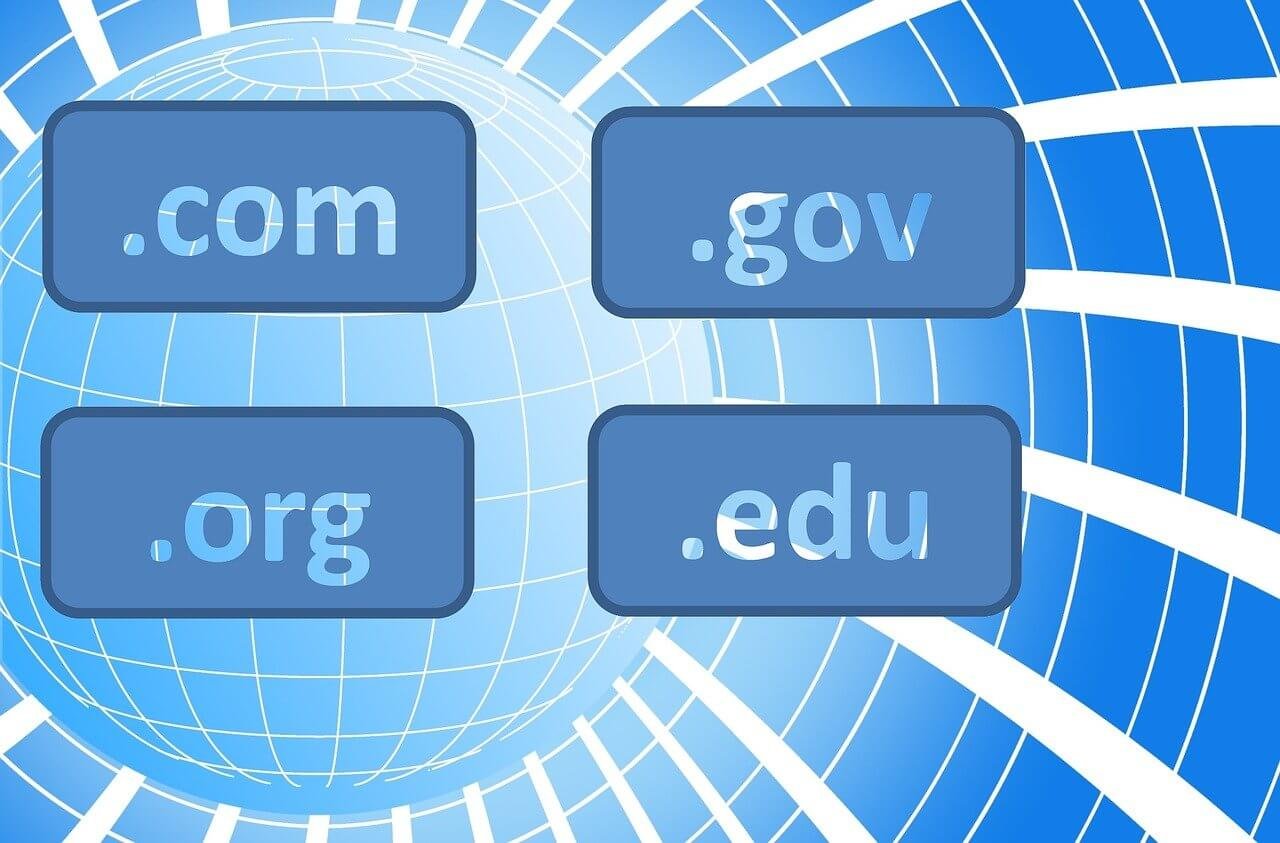
The second part is the top-level domain or TLD. This comes after the dot and includes extensions like .com, .org, .net, and hundreds of others. The TLD often indicates the purpose or origin of the website.
Some domains include a third part called a subdomain. These appear before the main domain name. In “blog.example.com,” the word “blog” is a subdomain that points to a specific section of the main website.
Common Domain Extensions Explained
The .com extension remains the most popular and recognizable domain ending on the internet.
Originally meant for commercial businesses, .com now works for virtually any website type. People automatically think of .com when they can’t remember a full web address, making it the safest choice for most websites. Nearly half of all registered domains use this extension.
The .org extension was created for organizations, especially nonprofits and charities. Many people trust .org websites for educational content and community-focused information. If you run a nonprofit, this extension signals your purpose immediately.
The .net extension originally served network-related businesses and internet service providers. Today it works as a solid alternative when your preferred .com domain is unavailable. It carries similar credibility to .com in most people’s minds.
Country-specific extensions like .uk, .ca, .de, and .au target local audiences. Using your country’s extension tells visitors you operate in their region, which builds trust with local customers.
Modern extensions like .tech, .online, .store, .blog, and .app provide creative alternatives. These descriptive extensions make your website’s purpose clear right in the domain name itself.
Real-World Domain Examples
Let’s look at how successful companies structure their domain names.
Amazon.com uses a simple, memorable word with the trusted .com extension. The name is short, easy to spell, and completely unique. It has nothing to do with selling products, yet it became one of the most valuable brands online.
Wikipedia.org chose the .org extension to reflect its nonprofit educational mission. The name combines “wiki” (meaning quick in Hawaiian) with “encyclopedia.” This creative combination perfectly describes what the site offers.
YouTube.com cleverly combines “you” with “tube” (slang for television). The domain immediately communicates that this platform is about people watching videos. It’s memorable, easy to say, and explains the service in just two syllables.
Domain vs URL vs Website
Many people confuse these three terms, but they mean different things.
A domain name is just the main address – like “example.com.” It’s the name itself without any additional information. You own a domain name just like you might own a phone number.
A URL is the complete web address including the protocol and specific page path. For instance, “https://example.com/about-us” is a full URL. The domain is “example.com,” but the URL provides the exact location of a specific page.
A website is the collection of web pages, images, videos, and content that lives at your domain. The domain is the address, while the website is the actual house at that address. You can change your website’s design and content without changing your domain name.
How To Choose Your Perfect Domain Name
Selecting the right domain name requires careful thought and strategy.
Keep your domain short and simple. Aim for 15 characters or fewer if possible. Shorter names are easier to remember, type, and share. Long, complicated domains frustrate users and get forgotten quickly.
Make it easy to spell and pronounce. If people hear your domain on a podcast, they should be able to type it correctly without seeing it written down. Avoid unusual spellings, silent letters, or words that have multiple common spellings.
Skip numbers and hyphens completely. These elements create confusion because people don’t know whether to type the numeral or spell out the word. Hyphens get forgotten easily, sending visitors to the wrong website.
Choose something brandable and memorable. Your domain should stick in people’s minds after hearing it once. Unique, creative names work better than generic keyword phrases that all sound the same.
If you’re struggling to find available options, try using domain name generator tools to spark creative ideas. These tools combine your keywords in unexpected ways and show which domains are available instantly.
Where to Search for Domains
Finding your perfect domain starts with checking if it’s available for registration.
You can perform a domain name search through specialized tools that check availability across multiple extensions simultaneously. These search tools connect to domain registries and show results in seconds.
Domain registrars like GoDaddy, Namecheap, Hostinger, and Google Domains all offer search functionality. Type your desired name into their search boxes and they’ll tell you which versions are available for registration.
Many search tools also suggest alternatives when your first choice is taken. They might add prefixes, suffixes, or recommend different extensions. These suggestions often lead to better options than your original idea.
Domain Registration Process
Once you find an available domain you love, registering it takes just minutes.
Choose a reputable domain registrar to purchase your domain through. Compare pricing between different registrars, as costs vary slightly. Most standard domains cost between $10 and $19 per year as of 2026.
Fill out the registration form with your accurate contact information. This information becomes part of the public WHOIS database, though most registrars offer privacy protection that hides your personal details.
Select your registration period. You can register domains for one to ten years. Longer periods lock in current pricing and reduce the risk of accidentally letting your domain expire.
Complete your purchase and you officially own the domain. The registrar will send confirmation emails and provide access to your domain management dashboard.
Domain Registration Costs
Understanding domain pricing helps you budget appropriately for your online presence.
Standard domain registrations cost $10 to $19 annually for popular extensions like .com, .net, and .org. This basic fee covers the registration only, not web hosting or email services.
Some registrars offer first-year discounts that make domains incredibly cheap initially. Watch the renewal prices though, as they often jump significantly after the promotional period ends. Read the fine print before committing.
Premium domains that someone already registered but offers for sale cost much more. These sought-after names might sell for hundreds to millions of dollars depending on their length, keywords, and perceived value.
Many hosting companies include free domain registration when you purchase hosting plans. For example, you can get a free domain name with Hostinger when buying specific hosting packages. This bundling saves money and simplifies setup.
Domain Privacy Protection
When you register a domain, your contact details become publicly searchable through WHOIS databases.
Domain privacy protection shields your personal information from public view. Instead of showing your name, address, phone number, and email, the service displays generic registrar information.
This protection prevents spam, unwanted solicitation, and potential identity theft. Without privacy protection, your email address becomes visible to anyone who looks up your domain, attracting spam messages daily.
Most reputable registrars include free privacy protection with domain registration. If your registrar charges extra for this service, the small annual fee is worth it for the peace of mind and reduced inbox clutter.
DNS and Nameservers Explained
DNS connects your domain name to your website’s actual location on the internet.
Nameservers are special computers that store DNS records for your domain. When you register a domain, your registrar provides default nameservers that you can use or replace with your hosting provider’s nameservers.
Your hosting company gives you specific nameserver addresses when you sign up. You enter these addresses in your domain registrar’s control panel, which tells the internet where to find your website files.
DNS changes take time to spread across the internet. This process called propagation usually completes within a few hours but can take up to 48 hours. During this time, some people might see your old site while others see your new one.
Subdomains and Their Uses
Subdomains are extensions of your main domain that point to different sections or purposes.
They appear before your main domain name separated by a dot. Common examples include “blog.yoursite.com” or “shop.yoursite.com.” Subdomains help organize different parts of your online presence under one main domain.
You can create unlimited subdomains without registering new domain names. This saves money and keeps your brand consistent. Each subdomain can point to completely different content or even different servers.
Many businesses use subdomains for specific purposes. A “support.company.com” subdomain might host customer service resources, while “app.company.com” runs their web application. This organization keeps everything connected yet separate.
Domain Transfers Between Registrars
Sometimes you need to move your domain from one registrar to another.
Domain transfers let you change where you manage your domain without losing the domain itself. Common reasons for transferring include better pricing, superior customer service, or consolidating multiple domains in one place.
Most domains must be registered for at least 60 days before transferring. This lock prevents fraudulent transfers immediately after registration. You’ll also need to unlock your domain at your current registrar and obtain an authorization code.
The transfer process takes five to seven days on average. During this time, your website continues functioning normally. Once completed, your domain moves to the new registrar and adds one year to your registration period automatically.
Protecting Your Domain Investment
Losing your domain name can destroy your online presence, so proper protection is essential.
Enable auto-renewal to prevent accidental expiration. Most domain lapses happen because owners forget renewal dates. Auto-renewal automatically charges your payment method before expiration, ensuring continuous ownership.
Keep your contact information updated at your registrar. If your email address changes and you don’t update it, you won’t receive renewal reminders or important security notifications.
Use strong passwords and two-factor authentication on your domain registrar account. These security measures prevent unauthorized access that could lead to domain theft. Domain hijacking is real and devastating.
Register important variations and misspellings of your domain. If you own “example.com,” consider also registering “examples.com” or common typos. Redirect these variations to your main site to capture lost traffic.
Domain Names for Business
Your domain name significantly impacts your business success online.
A professional domain builds instant credibility with potential customers. Using a free subdomain like “yourbusiness.wordpress.com” makes you look unprofessional and temporary. Custom domains signal that you’re serious and established.
Your domain affects search engine optimization though not as dramatically as quality content. Including relevant keywords in your domain can provide minor SEO benefits and help people understand your business immediately.
Consistency between your business name and domain name prevents confusion. If your company is called “Bright Ideas Marketing” but your domain is “creative-solutions.com,” customers will struggle to find you online.
Common Domain Mistakes to Avoid
Learning from common errors helps you choose better domain names.
Don’t pick domains that are too similar to competitors or major brands. Even if available, confusingly similar names steal your traffic and might create legal problems. Stand out instead of blending in.
Avoid trendy spellings that will age poorly. Creative misspellings like replacing “s” with “z” might seem cool now but look dated quickly. Stick with conventional spelling that remains timeless.
Don’t choose names that limit your future growth. A domain like “ChicagoPizzaDelivery.com” boxes you into one location and service type. Pick something that accommodates business expansion.
Never register domains that infringe trademarks. Even if a domain is available, using trademarked terms can force you to surrender it later. Search trademark databases before committing to any name.
Domain Auctions and Marketplaces
Not all great domains are available through standard registration.
Domain marketplaces connect buyers with sellers of previously registered domains. These platforms host millions of domains that current owners are willing to sell at negotiated prices.
Domain auctions feature premium names with established value. Bidding wars can drive prices high, but sometimes you find undervalued gems. Research comparable sales before bidding to understand fair market values.
Expired domain services alert you when good domains become available again. When owners forget to renew domains, they eventually drop back into the registration pool. These services help you catch valuable domains as they become available.
International Domain Names
The internet serves people worldwide in hundreds of languages.
Internationalized domain names (IDNs) allow non-Latin characters in domain names. You can register domains in Arabic, Chinese, Cyrillic, or any other script. This makes the internet accessible to everyone in their native language.
IDNs face some limitations though. Not all browsers display them correctly, and some users might struggle to type characters from unfamiliar alphabets. Consider your target audience’s technical capabilities.
If you operate internationally, consider registering your domain in multiple languages. This multilingual approach helps you reach different markets effectively while preventing competitors from claiming similar names.
Domain Name Security Threats
Domain names face various security risks that every owner should understand.
Domain hijacking occurs when attackers gain unauthorized access to your registrar account and transfer your domain to themselves. This theft can happen through phishing, weak passwords, or social engineering attacks.
Typosquatting involves registering domains that are common misspellings of popular brands. Squatters hope to capture accidental traffic or trick users into visiting fake websites. Protect yourself by registering common misspellings of your own domain.
Domain spoofing tricks users by creating look-alike domains using similar characters. Attackers might replace letters with similar-looking symbols from other alphabets. These fake domains spread malware or steal credentials through phishing.
Email with Your Domain
Custom email addresses using your domain look significantly more professional than generic alternatives.
Instead of using firstname.lastname@gmail.com, you can create addresses like yourname@yourbusiness.com. This branded email builds trust and makes your communications instantly recognizable.
Most hosting plans include email hosting with your domain. You can create unlimited email addresses for different departments, employees, or purposes. Info@, support@, and sales@ addresses organize communications effectively.
Professional email services like Google Workspace and Microsoft 365 let you use your custom domain with their powerful email platforms. You get the reliability of Gmail or Outlook combined with your professional domain name.
How To Build Your Website After Registration
Registering your domain is just the first step toward launching your website.
You’ll need web hosting to store your website files and make them accessible online. While your domain is the address, hosting is the actual space where your website lives.
Connect your domain to your hosting by updating nameserver settings. Your hosting provider gives you these details during signup. Once connected, anything you build on your hosting appears at your domain address.
Install a content management system like WordPress or use website builders to create your site. With your domain connected and hosting ready, you can start building pages, adding content, and launching your online presence.
Domain Name Trends and Future
The domain name system continues evolving with new extensions and technologies.
Hundreds of new domain extensions launch regularly. These specialized TLDs, like .ai, .photography, .restaurant, .lawyer, and .coach, help websites identify their niche immediately. While .com remains king, these alternatives offer creative branding opportunities.
Blockchain domains represent an emerging technology. These decentralized domains aren’t controlled by traditional registrars and offer increased ownership rights. However, they require cryptocurrency wallets and special browsers, limiting mainstream adoption currently.
Voice search impacts how people think about domains. As more users ask Alexa or Google to find websites, easy-to-pronounce domains become even more important. Your domain needs to work perfectly when spoken aloud.
Your Domain Journey Starts Now
Understanding what a domain name is empowers you to make smart decisions about your online identity.
These simple web addresses form the foundation of your entire internet presence. Whether you’re building a personal blog, launching a business, or creating an online portfolio, choosing the right domain matters tremendously. Your domain becomes your brand, your address, and your identity online.
Take time to brainstorm ideas, check availability thoroughly, and choose a name that represents you well for years to come. The perfect domain is out there waiting for you to claim it. With the knowledge you’ve gained about domain names, their structure, and how they work, you’re ready to find your ideal web address and start building your presence on the internet today.