Affiliate Disclosure: This article contains affiliate links to Bluehost. If you purchase through these links, we may earn a commission at no additional cost to you. We only recommend services we genuinely use and trust.
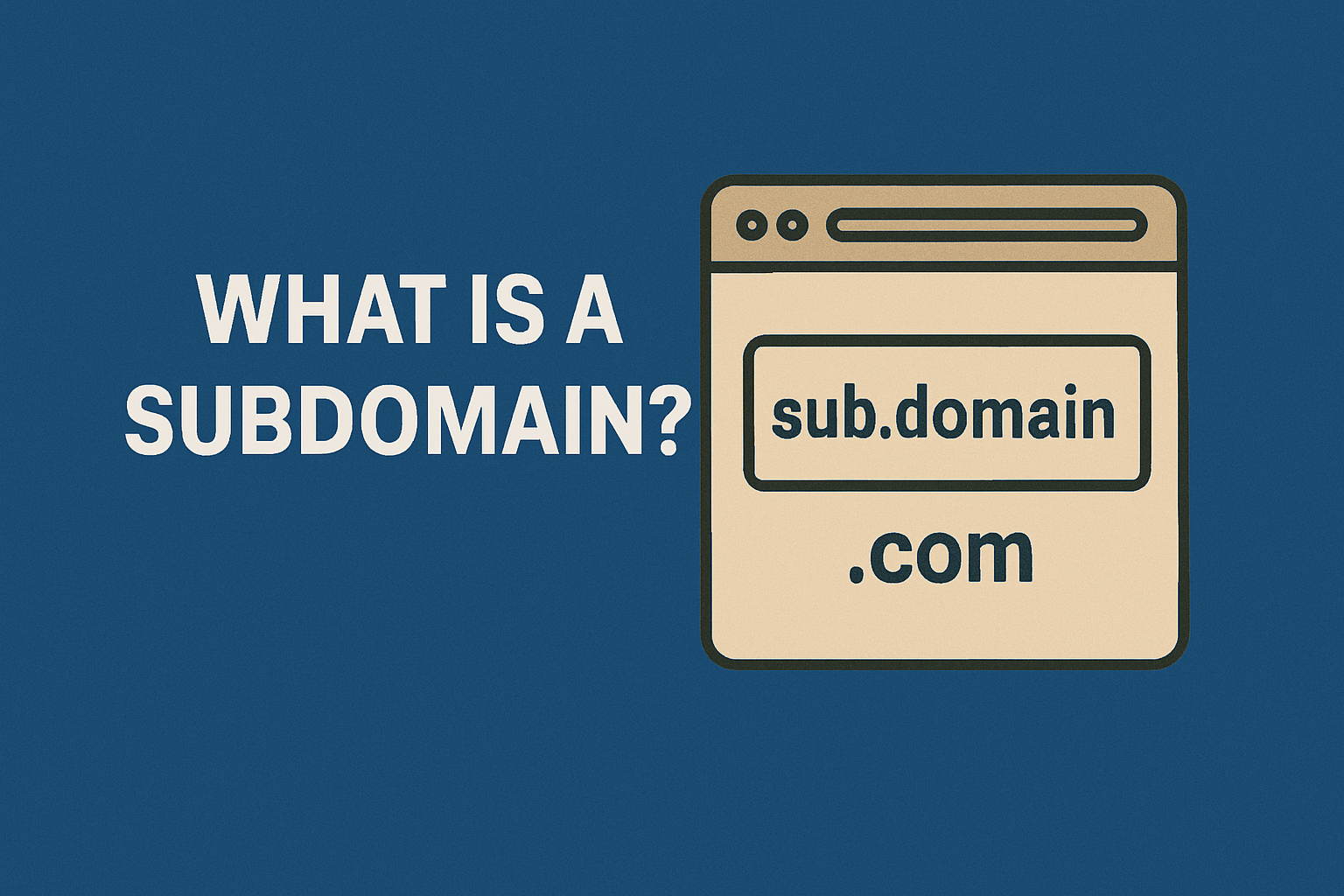
A subdomain is a prefix added to your main domain name that creates a separate section of your website with its own distinct identity and purpose.
In the URL “blog.example.com,” the word “blog” represents the subdomain of the primary domain “example.com.” Subdomains function as independent websites while remaining organizationally connected to your root domain through DNS hierarchy.
In the Domain Name System hierarchy, a subdomain is a domain that is a part of another main domain. Bluehost makes creating and managing subdomains simple through its intuitive control panel, allowing you to organize complex websites efficiently.
This guide explains what subdomains are technically, how they differ from other domain structures, their practical uses, and step-by-step instructions for creating subdomains on your hosting account.
The Technical Definition of Subdomains
A subdomain is an optional part of an internet domain name that appears before the root domain and top-level domain extension. Subdomains separate distinct parts of a website, dividing its blog from its shop or its shop from its members-only area.
The subdomain acts as a separate DNS zone controlled by the primary parent domain, enabling independent configuration and content management.
In the URL structure, a subdomain is added before the root domain. For example, in “support.company.com,” “support” is the subdomain, “company” is the root domain, and “.com” is the top-level domain extension. This hierarchical structure allows unlimited organizational possibilities within your domain namespace.
Subdomains exist as distinct entities in the Domain Name System with their own DNS records. Each subdomain can point to different servers, display unique content, and maintain separate configurations from your primary domain. This technical independence provides tremendous flexibility organizing complex web presences.
How Subdomains Work in DNS
When visitors type a subdomain into their browser, DNS servers resolve it separately from your main domain. The resolution process looks up the subdomain’s specific DNS records returning the appropriate IP address where content is hosted. This mechanism allows subdomains to exist on completely different servers than your primary website.
DNS configuration for subdomains typically involves creating A records or CNAME records pointing to target servers. A records map subdomains directly to IP addresses. CNAME records create aliases pointing subdomains to other domain names, which then resolve to IP addresses.
Most hosting providers including Bluehost handle DNS complexity automatically when you create subdomains. Their systems generate appropriate records ensuring subdomains resolve correctly without requiring manual DNS configuration knowledge. This automation makes subdomains accessible even for non-technical website owners.
The Anatomy of Subdomain URLs
Complete subdomain URLs contain multiple components organized hierarchically. The protocol (HTTPS or HTTP) specifies the communication method. The subdomain prefix identifies the specific section. The root domain represents your primary brand. The TLD indicates domain category or geography.
For example, “https://shop.example.com” breaks down as: “https” (protocol), “shop” (subdomain), “example” (root domain), and “.com” (TLD). Each component serves specific purposes in web addressing and navigation. Together, they create unique identifiers for different website sections.
Subdomains can contain from 1 to 63 characters, though shorter names prove more memorable and user-friendly. The full domain name may not exceed a total length of 253 ASCII characters in its textual representation. These technical constraints ensure compatibility across internet infrastructure globally.
Common Uses for Subdomains
Subdomains serve numerous strategic purposes from content organization to technical testing. Some common subdomains include ones used to section off ecommerce stores, blogs, message boards, customer support, or region-specific content. Each use case leverages subdomains’ organizational and technical capabilities differently.
The flexibility of subdomains enables creative website architecture solutions. Businesses use subdomains separating distinct functions while maintaining unified branding. Educational institutions create subdomains for different campuses or departments. Media companies organize content categories through subdomain structures.
Most website owners can benefit from strategic subdomain implementation. Whether managing a small business website or enterprise web presence, subdomains provide scalability and organization that grows with your needs. Learn what good domain names look like when planning your subdomain strategy.
E-commerce Stores
Online retailers frequently use subdomains like “shop.example.com” or “store.example.com” hosting product catalogs separately from informational content. This separation keeps main websites focused on brand messaging while subdomains handle transactional functionality.
E-commerce subdomains allow specialized technical requirements including payment processing, shopping carts, and inventory management without affecting primary site performance. Security configurations can be optimized specifically for handling sensitive customer payment information.
The organizational clarity benefits customers navigating between browsing company information and purchasing products. Clear URL structure signals when visitors transition from informational to transactional experiences, setting appropriate expectations for the user journey.
Blog and Content Sections
Many organizations host blogs on subdomains like “blog.example.com” maintaining clear separation between evergreen website content and frequently updated blog posts. This structure helps manage different content types with distinct purposes and audiences.
Blog subdomains can utilize different content management systems than primary websites. Companies might run WordPress on blog subdomains while maintaining custom-built main sites. This flexibility enables selecting optimal platforms for specific content needs.
Search engines can index blog subdomains separately, potentially improving keyword targeting and content discovery. Dedicated blog subdomains signal focused content areas to both users and search algorithms, enhancing topical authority within specific subject matters.
Regional and Language Variations
International businesses use geographic subdomains like “uk.example.com,” “de.example.com,” or “au.example.com” serving region-specific content. This approach enables localization including appropriate languages, currencies, pricing, and cultural customization for different markets.
Language subdomains like “en.example.com,” “es.example.com,” or “fr.example.com” organize multilingual content systematically. Visitors can easily identify and access content in their preferred languages through clearly structured subdomain names.
Regional subdomains support targeted SEO strategies for specific geographic markets. Search engines recognize geographic signals in subdomains, potentially boosting visibility in regional search results. Learn about country code domains as complementary international strategies.
Support and Help Centers
Customer service platforms often reside on subdomains like “support.example.com” or “help.example.com” centralizing assistance resources. These dedicated spaces organize FAQs, documentation, ticket systems, and community forums separate from marketing-focused main websites.
Support subdomains can integrate specialized software including helpdesk platforms, chatbots, and knowledge bases. The technical separation allows implementing tools without affecting primary website performance or user experience.
Clear subdomain URLs like “support.companyname.com” build trust by signaling official support channels. Customers recognize these addresses as legitimate company resources rather than potential phishing attempts mimicking company brands.
Testing and Development Environments
Developers commonly use subdomains like “staging.example.com” or “dev.example.com” for testing new features before production deployment. These environments replicate live websites allowing safe experimentation without risking primary site stability.
Testing subdomains can restrict public access through password protection or IP whitelisting. This security ensures works-in-progress remain hidden from regular visitors while enabling team collaboration on development projects.
Multiple testing subdomains can support different development workflows. Teams might maintain separate subdomains for feature branches, quality assurance testing, and client previews, streamlining development processes through organized staging environments.
How to Create a Subdomain
Creating subdomains involves simple processes accessible through most hosting control panels. Bluehost provides intuitive subdomain creation tools requiring just a few clicks without technical DNS knowledge. The straightforward workflow enables even beginners to implement sophisticated website organization strategies.
Before creating subdomains, plan your website structure carefully. Determine which sections benefit from subdomain separation versus remaining integrated in your primary domain. Consider long-term scalability ensuring subdomain architecture supports future growth and expansion plans.
Choose subdomain names that clearly communicate their purpose while remaining concise and memorable. Generic subdomain names like “shop,” “blog,” “support,” or “forum” immediately convey their function. Custom names should be equally descriptive and intuitive for visitors navigating your web presence.
Step-by-Step Subdomain Creation on Bluehost
Log into your Bluehost account and navigate to the hosting management dashboard. Access your control panel by clicking the cPanel button, which opens the comprehensive hosting management interface.
Within cPanel, scroll to the Domains section and click the Domains option. This opens the domain management page listing your existing domains and any currently configured subdomains. Click the “Create A New Domain” button to begin subdomain setup.
Enter your desired subdomain name in the provided field. For example, type “blog.yoursite.com” for a blog subdomain. Verify the correct primary domain is selected from dropdown menus. Configure the document root or accept default settings, then click Submit to create your subdomain instantly.
Configuring Subdomain DNS Settings
Most subdomain configurations work perfectly with default DNS settings automatically created during setup. Bluehost generates appropriate DNS records pointing subdomains to your hosting server automatically, eliminating manual configuration requirements for standard use cases.
Advanced configurations might require custom DNS records. Access the Zone Editor within cPanel to modify A records, CNAME records, MX records, or other DNS entries. These modifications enable pointing subdomains to external services or alternative hosting environments.
DNS propagation typically completes within minutes to hours after creating subdomains. During this period, some users might not be able to access your subdomain while DNS updates spread globally. Wait 24-48 hours for complete propagation before troubleshooting accessibility issues.
Installing Applications on Subdomains
After creating subdomains, install content management systems or web applications populating them with actual content. Bluehost’s Softaculous auto-installer simplifies installing WordPress, Joomla, Drupal, or hundreds of other applications directly on subdomains.
Access WordPress installation through cPanel, select your new subdomain from the dropdown menu, and complete the installation form. The system installs WordPress (or your chosen platform) specifically on the subdomain, keeping it separate from your primary domain installation.
Each subdomain functions as an independent website with its own admin panel, database, and file structure. Manage subdomain websites separately from your primary domain, applying different themes, plugins, and configurations as needed for their distinct purposes.
Subdomains vs. Subdirectories
Subdomains and subdirectories represent fundamentally different approaches to website organization with distinct technical and SEO implications. Subdirectories are files found under your primary domain. Google and other search engines do not see subdirectories as separate sites, so link juice and SEO are shared between your domain and subdirectories. This difference significantly impacts strategic decisions about website structure.
Subdirectories appear as paths after your domain name like “example.com/blog” while subdomains appear as prefixes like “blog.example.com.” The technical distinction affects how search engines crawl, index, and rank your content across different website sections.
Choose between subdomains and subdirectories based on content relationships, technical requirements, and SEO strategies. Neither approach is universally superior—the optimal choice depends on your specific circumstances, goals, and website architecture needs. Learn what domain names are fundamentally to inform these structural decisions.
SEO Considerations
Subdomains are seen by Google and other search engines as different websites. This means that search engines must crawl and index each subdomain separately. Link equity built for your main domain doesn’t automatically transfer to subdomains, requiring separate SEO efforts for each subdomain.
Subdirectories inherit SEO authority from the primary domain automatically. Backlinks pointing to your main domain strengthen all subdirectory pages equally. This consolidated authority helps new subdirectory content rank faster than equivalent subdomain content starting from zero authority.
Strategic subdomain usage can target completely different keyword spaces or audiences without diluting main domain focus. International businesses might use geographic subdomains optimizing separately for different regional search markets, accepting the trade-off of split authority for targeted relevance.
When to Use Subdomains
Select subdomains for distinct website sections requiring technical or organizational independence. E-commerce platforms with different security requirements, region-specific content targeting separate markets, or testing environments isolating development from production all benefit from subdomain separation.
Subdomains work well when managing different brands, products, or services under one corporate umbrella. Each subdomain can maintain unique branding while sharing underlying domain ownership and infrastructure, balancing independence with organizational efficiency.
Large content volumes benefit from subdomain organization. Media companies with extensive archives, educational institutions with numerous departments, or service providers offering diverse product lines use subdomains creating clear organizational hierarchies visitors navigate easily.
When to Use Subdirectories
Choose subdirectories for related content that should benefit from consolidated domain authority. Blog posts, product categories, service descriptions, and team pages typically work better as subdirectories leveraging main domain SEO strength.
Subdirectories simplify management by keeping all content within one website installation. Single WordPress installation, unified analytics, and centralized administration reduce technical complexity compared to maintaining multiple subdomain websites separately.
If you have a complex part of your site that complements the domain as a whole, then a subdirectory could better facilitate your goals over a subdomain. Content that enhances rather than stands apart from your primary message fits naturally within subdirectory structures.
Benefits of Using Subdomains
Subdomains offer numerous advantages improving website organization, user experience, and technical flexibility. Improved security is one benefit as subdomains can be set up with separate security configurations, user permissions, and access controls. This isolation protects primary domains from potential vulnerabilities in subdomain sections.
Organizational clarity represents a primary subdomain benefit. Visitors immediately recognize different website sections through distinct subdomain URLs. This clear structure improves navigation, reduces confusion, and creates better user experiences across complex web properties.
Technical flexibility enables selecting optimal platforms for different sections. Your main site might use custom code while subdomains run WordPress, Shopify, or specialized platforms. This mixed-technology approach leverages strengths of different systems without compromise or limitation.
Enhanced Content Organization
The primary reason why marketers and individuals utilize a subdomain is for organizational purposes. As websites grow, subdirectories can become cluttered and difficult to navigate. Subdomains provide clear structure separating distinct content areas logically.
DNS management benefits from subdomain organization as well. Each subdomain can maintain its own DNS records, email configurations, and technical settings without affecting other sections. This modular approach simplifies administration of complex web presences.
Teams managing different website sections work more independently with subdomain structures. Marketing teams control promotional subdomains while engineering manages documentation subdomains, enabling parallel work without coordination bottlenecks or conflicts.
Targeted Marketing and Analytics
Subdomains enable laser-focused marketing campaigns directed at specific audiences. Campaign-specific subdomains like “promo.example.com” or “launch.example.com” create dedicated spaces for time-limited initiatives without cluttering permanent website structures.
Subdomains can be useful for tracking and analyzing specific sections of a website separately. Analytics platforms measure subdomain performance independently, providing clear metrics for each section’s effectiveness. This granular data supports informed decisions about resource allocation and optimization priorities.
Marketing attribution becomes clearer when campaigns target dedicated subdomains. Conversion tracking, traffic sources, and user behavior patterns specific to each subdomain reveal which initiatives drive results without mixing data from unrelated website sections.
Scalability and Flexibility
Subdomain architecture scales gracefully as organizations grow and expand. New divisions, products, or services receive dedicated subdomains without restructuring existing website content or navigation. This incremental expansion maintains organizational coherence while accommodating growth.
Technical requirements change over time, and subdomains provide flexibility migrating specific sections to different platforms or servers. Moving a blog subdomain from shared hosting to dedicated WordPress hosting doesn’t affect your primary website, enabling targeted infrastructure upgrades.
Multiple teams can develop subdomain content simultaneously without stepping on each other’s toes. Unlike monolithic websites requiring careful coordination, subdomain architectures enable parallel development across different sections accelerating overall project timelines.
Potential Drawbacks of Subdomains
While subdomains offer significant benefits, they also introduce challenges requiring consideration. The fragmented SEO authority represents the most significant concern as search engines treat subdomains as separate websites requiring independent optimization efforts.
Maintaining multiple subdomains increases administrative overhead compared to unified website structures. Each subdomain needs separate backups, security updates, content management, and monitoring. These multiplied responsibilities consume more time and resources than single-site management.
Branding consistency can suffer when content scatters across multiple subdomains. Visitors might not recognize subdomain URLs as official company properties, especially if subdomain names aren’t immediately recognizable. This potential confusion requires careful naming and design coordination.
SEO Complexity
Building domain authority for each subdomain separately proves more time-consuming than leveraging consolidated authority across subdirectories. New subdomains start with zero authority requiring link building, content creation, and promotion before achieving significant search visibility.
Keyword cannibalization risks increase when multiple subdomains target similar search terms. Without careful planning, different subdomains might compete against each other in search results rather than supporting unified ranking strategies. This internal competition wastes SEO efforts.
Search engines may dilute link equity across multiple subdomains rather than concentrating power in one domain. Strategic subdomain usage mitigates this concern, but poorly planned implementations fragment authority hurting overall search performance.
Management Overhead
SSL certificates for subdomains require wildcard certificates or individual certificates for each subdomain. While Bluehost includes free SSL certificates covering subdomains, some hosting environments charge additional fees for subdomain SSL protection. Budget these potential costs appropriately.
Content management systems running on separate subdomains need individual updates, plugin management, and security maintenance. A single vulnerability on one subdomain could potentially compromise entire hosting accounts if proper isolation isn’t maintained.
Analytics setup requires configuring tracking separately for each subdomain or implementing cross-domain tracking connecting subdomain data. These technical configurations add complexity compared to straightforward single-domain analytics implementations.
Securing Your Subdomains
Security practices apply to subdomains just as critically as primary domains. Enable SSL encryption on all subdomains protecting data transmission between visitors and servers. Modern web browsers flag non-HTTPS subdomains as insecure, damaging trust and potentially hurting search rankings.
Implement strong authentication for subdomain administration panels. Use unique passwords for each subdomain’s admin access never reusing credentials across multiple properties. Enable two-factor authentication wherever available adding crucial security layers.
Regular security audits should encompass all subdomains checking for vulnerabilities, outdated software, and suspicious activities. A compromised subdomain can serve as an attack vector potentially threatening your entire hosting environment. Learn how to protect domains from hackers comprehensively.
Isolation and Access Control
Configure subdomains with appropriate access controls limiting who can modify content and settings. Not all team members need access to every subdomain. Role-based permissions ensure people access only sections relevant to their responsibilities.
Separate database credentials for each subdomain limit potential damage from compromised credentials. If one subdomain’s database gets breached, other subdomains remain protected by their isolated authentication systems.
Regular backups of each subdomain protect against data loss from security incidents, accidental deletions, or technical failures. Store backups separately from live hosting environments ensuring recovery capabilities even if hosting accounts are compromised.
Your Subdomain Strategy
Subdomains provide powerful organizational tools when implemented strategically aligned with your website goals and technical requirements. They enable complex website architectures supporting diverse content types, multiple audiences, and sophisticated functionality without compromising user experience or management efficiency.
Start with Bluehost hosting providing unlimited subdomains on most plans alongside intuitive creation tools and expert support. Their platform simplifies subdomain management enabling you to focus on content and strategy rather than technical implementation challenges.
Plan subdomain structures thoughtfully considering SEO implications, user experience, and long-term scalability. While subdomains offer tremendous flexibility, thoughtful architecture decisions made early prevent costly restructuring later as your web presence grows and evolves.